
Python · Ages 8–10
Python for kids aged 8 to 10
Yes, an 8 to 10 year old can learn real Python, if they can read and type comfortably and the lessons are built for their age. Here is what that looks like, and where to start.
Short, concrete projects
Every lesson ends with something that runs: a quiz, a drawing, a tiny game.
Reading and typing first
The real prerequisite. If they can read a short paragraph and find keys, they are ready.
Four learners at most
Young coders need someone watching their screen. With four, the teacher can.
First class
Once per family. The quickest way to see if your child is ready.
Is 8 too young for Python?
Age matters less than two practical skills: reading short instructions without help, and typing well enough that finding keys is not the whole lesson. Most children have both by 8 or 9. Some have them at 7. Others are 10 and still more comfortable with blocks.
If your child is not there yet, a block-based tool like Scratch is a good first step, and our Scratch vs Python guide explains how to tell. If they are, starting with real Python means they never have to relearn the basics in a “grown-up” language later.
What a lesson looks like at this age
Lessons for younger learners are built around short, concrete wins. A class might start with printing their name in a pattern, move on to asking the player a question and responding to the answer, and finish with a tiny guessing game they can play with a sibling that evening.
Ideas are introduced one at a time and practised straight away. The teacher watches each child’s screen, and when something breaks, asks what they expected to happen before pointing to the fix. Children learn early that errors are normal and fixable, which is most of what makes a confident coder.
Where to start
Python Beginner is ten classes for complete beginners aged 6 to 16, and it is the right first course for nearly every 8 to 10 year old. It covers printing, variables, input, decisions, loops and simple functions through small projects.
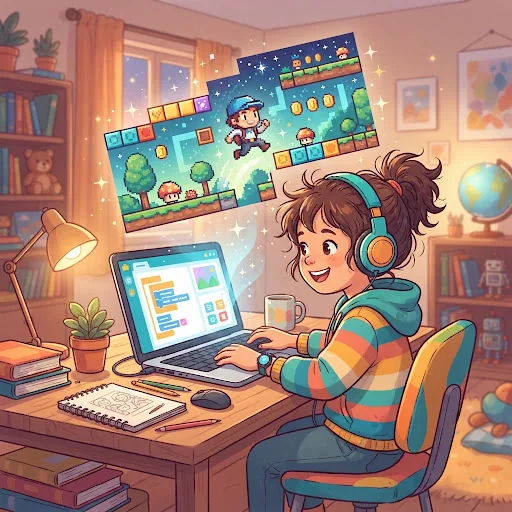
Children who finish it and want more usually move on to Python Game Design, sixteen classes spent building playable games, which keeps younger learners motivated because every lesson produces something to play.
How parents can help at home
You do not need to know any Python. The most useful thing is to ask your child to show you what they built after each lesson and explain how one part of it works. Explaining is how the idea sticks.
Keep practice short. Ten minutes changing their game, like making the enemy faster or adding a new question to the quiz, is worth more than an hour copying code from a book. And when something breaks, resist fixing it for them. Ask what they expected to happen, and what happened instead. That question is the one the teacher asks in class too.
How booking works
Every class is a live 50–55 minute video lesson with a real teacher. Group classes take four learners at most, and the booking system will not sell a fifth seat. If you would rather your child had the teacher to themselves, every maths and coding course is also available one to one.
A group class is US$11 and a one-to-one class is US$16, priced per class. You can pay class by class or book the whole course. Your family’s very first class costs , once per family, so you can see the teacher and the format before committing to anything.
Class times are shown in your own time zone when you book. If something comes up, you can move or cancel a class up to 24 hours before it starts. There is no subscription, so nothing renews in the background, and you are welcome to sit in on any lesson.
Classes to start with
Live, 50–55 minutes, four learners at most or 1-on-1.
Questions parents ask
FAQ
Can an 8 year old learn Python?
Yes, if they can read short instructions and type comfortably. Lessons for this age use short projects that run by the end of each class.
Should my child learn Scratch first?
Only if they are not yet reading and typing confidently. Otherwise, starting with Python avoids relearning the basics later.
How long are the classes?
Every class is 50 to 55 minutes, live, with at most four learners, or one to one if you prefer.
How much does it cost?
A group class is US$11 and a one-to-one class is US$16. Your family’s first class is .
What does my child need?
A laptop or computer with a keyboard and webcam. A tablet will not work for typing code.
Further reading
Try one class for
Once per family. Meet the teacher, see the format, and sit in if you like, before you book anything more.