Web and 3D design classes for ages 10–16
Two different crafts under one heading. Web design goes from a first page — text, images, colour, layout — to a responsive multi-page site your child plans and builds themselves. 3D design goes from primitive shapes to finished modelled objects, ready to render or print, in either a short 8-class introduction or a 16-class track that builds a portfolio.
Showing 3 of 3 classesAll subjects
A closer look
How design is taught here
How a design class runs
Students share their screens, so the instructor sees exactly what each child is building and can point to the line of code or the part of the model that needs attention.
Every class ends with something saved that the child made themselves, and each week builds on last week’s file rather than starting over, so the finished piece grows in front of them.
A first month of web design
Week one: a blank file becomes a page with a heading, a paragraph and a picture, opened in the browser. Most children refresh it a dozen times just to watch their own words appear.
Week two is colour and fonts, where children discover that one line of CSS can restyle the whole page. Week three is layout: boxes, spacing and putting things side by side. By week four most children are building a one-page site about something they love, such as a pet, a game or a sport, and deciding for themselves how it should look.
Which one suits your child
A child who likes typing, puzzles and seeing results in a browser tends to enjoy web design. It is real code, but every change shows up straight away, which keeps the feedback loop short and satisfying.
A child who likes building, drawing or making physical things tends to prefer 3D. For teenagers thinking about design, computing or engineering later, both give them something concrete to show: a live site with a link, or a set of rendered models.
Skills that carry over
Web design teaches structure: breaking a page into parts, naming them, and keeping style separate from content. It is the same way of thinking programmers use for any large piece of software, learned on something a child can see.
3D design teaches spatial reasoning and planning: seeing an object as a set of shapes, working to measurements, building in the right order. Those skills sit underneath engineering, architecture, product design and game art.
Both teach finishing. A page either works on a phone or it does not, and a model either holds together or it does not. Children learn to test their own work and fix it before calling it done.
Find the right design class
Not sure which level fits your child? Tell us their age and what they have done so far, and we will point you to the right class.
Reviews
What families say
“We’ve seen a huge jump in my daughter’s confidence and skills. Thank you for making web design so accessible and fun! We truly appreciate your patience and dedication. You have a gift for explaining complex design principles in simple, exciting ways.”
“Wonderful instructor! She is patient and kind. My son looks forward to every class.”
“Excellent teachers, wonderful and engaging lessons. This is a great class for kids wanting to learn programming.”
“This was an amazing experience! I went from knowing nothing about coding to confidently making websites in my free time.”
“My son really enjoyed every session and learned so much. The teacher was patient, kind and knowledgeable.”
“Wonderful class! My son has loved every week!!! He can’t wait to take more classes.”
“My 11-year old managed to complete the course successfully — each lesson they learn something advanced from the last.”
Outcomes
What your child will be able to do
- Build and style a real web page, and explain how the browser turns that into what you see
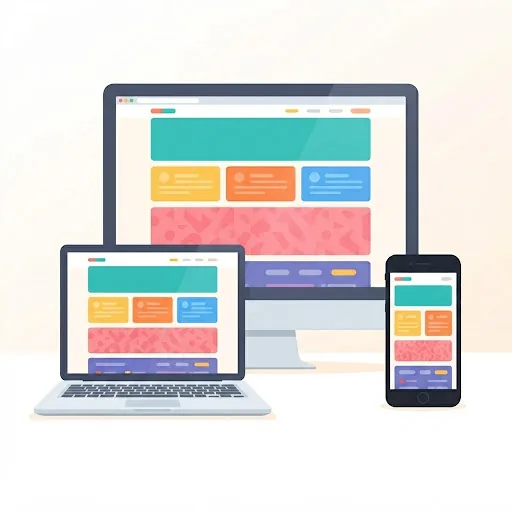
- Make a site that works on a phone as well as a laptop, rather than one that only looks right on the machine it was built on
- Model an object in 3D from a plan, not by pushing shapes around until something appears
- End with work that can be shown to someone — a site with a link, or rendered pieces
Checklist
What you need before the first class
Tick these off and your child is ready.
- A computer or laptop. 3D modelling in particular needs a real screen and a mouse
- No design experience needed for Web Design Basic or the 8-class 3D introduction
- Web Design Advanced assumes a first web page has already been built
FAQ
Questions parents ask
- ?Is this coding or is it art?
- Web design is both — it is real HTML and CSS, so there is code, but the decisions are visual. 3D design is closer to making things than to programming, and it suits children who like building more than typing.
- ?Can my child actually 3D print what they make?
- The models are built to be printable, and children who have access to a printer do print them. You do not need one — the same work renders as images, and most students finish that way.
- ?Which comes first, web or 3D?
- They are independent, so start with whichever your child is drawn to. There is no order and neither is a prerequisite for the other.
Guides for parents