
Parent guide · 5 min read
Coding or robotics: which should your child try first?
A lot of parents land on this choice by accident — a friend’s child does one, a school fair demos the other — rather than by working out which actually fits. Coding and robotics share a lot underneath (both are about giving a machine precise instructions), but they differ enough in setup, cost and feel that it’s worth a proper look before picking one.
Try this tonight
4 things you can do at home
Try a five-minute coding puzzle
Sit with your child at a free, beginner coding puzzle or a block-based tool like Scratch for five minutes. Notice whether they lean in when it doesn’t work first time, or lose interest once the novelty wears off.
Watch two minutes of a simple circuit build
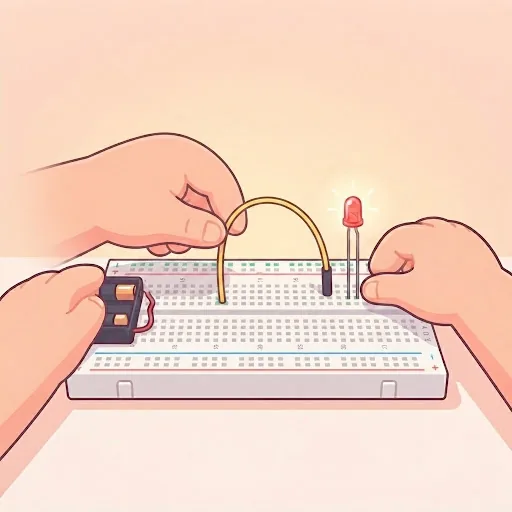
Find a short video of someone wiring an LED to light up and controlling it with a few lines of code. Ask your child what they’d want to build if they had the same parts on their desk.
Ask what they’d make, not what they’d “learn”
A game, an app or a website points to coding. Something that moves, lights up or reacts when you clap points to robotics. “I don’t know” is a fine answer — it usually points to coding, since it needs no extra kit to start finding out.
Check the extra cost and the age floor
Robotics needs a hardware kit bought separately before the first class, and most programs set a minimum age around 9 because small components need steady hands. Coding needs nothing beyond a computer your family likely already has, from about 6.
Side by side
| Question | Coding | Robotics |
|---|---|---|
| Typical starting age | From about 6 | From about 9 |
| What you need at home | A computer or laptop | A computer plus a hardware kit |
| Where the work happens | On screen only | On screen and on the workbench |
| A first win looks like | A program that runs | A light, sensor or motor that responds |
| Leads to | Games, apps, websites, AI | Electronics, sensors, physical builds |
What each activity actually teaches
Both are teaching the same underlying skill: breaking a problem into precise steps a machine will follow exactly and never generously. A coding class puts that skill entirely on screen — variables, loops, conditions, functions — and the feedback is a program running or an error message. A robotics class puts the same logic to work on a physical circuit: the code still has loops and conditions, but now it is switching a real LED, reading a real sensor or driving a real motor.
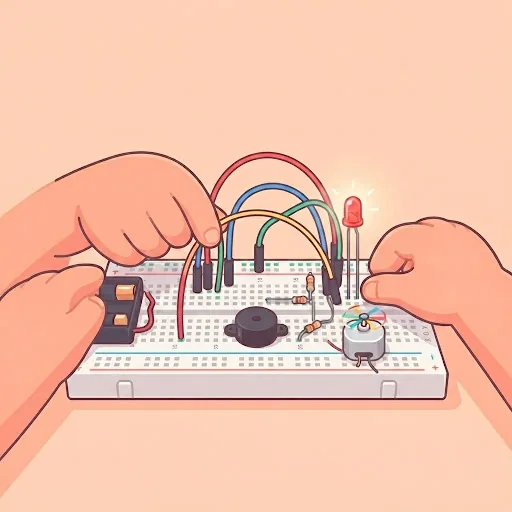
The extra layer in robotics is physical assembly: wiring components onto a breadboard, matching pins correctly, and troubleshooting a circuit that looks right but doesn’t work — which is a different kind of debugging from a coding class, closer to “is this wire actually in the right hole” than “is this bracket missing”.
A worked example: two children, two better fits
Take a 10-year-old who spends free time playing and talking about video games, and is quick to retry something that fails on screen. Coding is the more natural fit: the games they already love are exactly what a coding class lets them start building, and screen-based trial and error is already familiar territory.
Now take a 10-year-old who is always taking things apart, building with construction sets, or asking how a remote-control toy actually moves. Robotics fits better here: the appeal is physical cause and effect — press a button, motor spins — which a purely on-screen coding class doesn’t offer in the same immediate way.
What it costs beyond the class
Coding classes typically need nothing beyond a computer or laptop most families already own. Robotics classes need a hardware kit — a board, a breadboard, jumper wires, LEDs, sensors and similar small parts — bought separately before the first class, on top of whatever the class itself costs. That is a real, ongoing difference in what a robotics start-up requires, not just a one-off inconvenience: extra sensors and motors tend to get added over time.
Neither cost is prohibitive, but it is worth deciding on purpose rather than discovering the kit requirement after enrolling, especially if you are trying robotics as an experiment rather than a firm commitment.
Can they do both, and does the order matter?
Plenty of children eventually do both, and there is no fixed correct order between them — the ideas overlap enough that time spent in either one makes the other easier later. If you are forced to pick one first, the checks above are a better guide than a rule of thumb: what your child reaches for on their own, screen or hardware, tells you more than their age does.
If neither answer is obvious, coding is the lower-cost place to start finding out, precisely because it needs no kit purchase to try.
Signs it’s time for outside help
When home help has done what it can
- Your child has tried a coding puzzle or a simple circuit video and asks for more.
- They keep returning to the same coding games or robot-building videos on their own.
- A relative’s old robotics kit or coding subscription is sitting unused because nobody is guiding it.
- They ask specific questions about making a game or making something move that you can’t answer.
- They have already tried one and are asking what’s next.
Questions parents ask
FAQ
Is robotics a form of coding?
Yes. A robotics class still writes code — the difference is that the code controls a physical sensor or motor instead of only what appears on a screen.
Which is cheaper to start?
Coding, in almost every case. It needs only a computer most families already own, while robotics needs a hardware kit bought separately before the first class.
What age can a child start robotics?
Most robotics classes set a floor around 9, since small components need steady hands. Coding classes can start a little earlier, from about 6.
Can we try both before deciding?
Yes, and many families do exactly that with a short taster of each. The checks in this guide are meant to save that step when the answer is already fairly clear.
Further reading
Classes that fit
Live, 50–60 minutes, four learners at most or 1-on-1.
Not sure which is right for your child?
Tell us their age and what they have tried so far, and we will suggest where to start before you book anything.