
Parent guide · 7 min read
Robotics classes for kids: what a good class actually teaches beyond the kit
Every robotics class brochure looks similar: a robot kit, a weekly session, some code. What actually happens inside two classes using the exact same kit can be completely different — one teaches a child to debug their own circuit and explain what it does, the other has an instructor fixing wiring while children watch. The kit tells you almost nothing about which one you are buying. This guide is the questions that do.
Try this tonight
5 things you can do at home
Ask what happens when a project does not work
This is the single most revealing question. A class that talks your child through checking their own wiring and code is teaching the actual skill. A class where the instructor quietly fixes it so the group can move on is teaching a demo, not a habit.
Ask to see the term’s project list, in order
A real curriculum adds one new idea at a time — a sensor, then a motor, then combining both — and later projects reuse earlier ones. If every week’s project looks unrelated to the last, or the same “robot avoids an obstacle” idea repeats with a different chassis, there is no real progression underneath it.
Ask how many children share one board
Robotics is a hands-on skill, and a child who watches a shared board for most of the class is not building it. Ask directly: does each child have their own kit for the session, or does a small group take turns on one?
Watch a sample or demo class if one is offered
Ten minutes of watching tells you more than any brochure. Notice whether the children are actively wiring and typing, or mostly watching the instructor do it on a screen at the front.
Ask what a finished term actually leaves your child able to do
A good answer names a transferable skill — reading a circuit diagram, writing and testing code in small steps, debugging independently. A vague answer about “building cool robots” with no specifics is a sign the class has not thought past the kit list.
A kit is not a curriculum
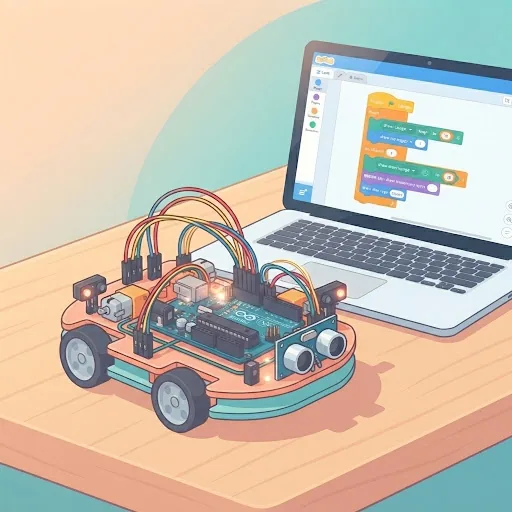
Two classes can use the identical Arduino starter kit and teach almost opposite things. One instructor treats each session as a chance to make a child explain their own wiring and code before moving on; the other reads the day’s project off a sheet, wires it up at the front, and has children copy the result. Both classes can point to the same finished robot at the end of the hour, but only one of them has taught anything that survives past that robot.
This is why the platform a class uses — Arduino, a branded robot, a block-based tool — matters less than parents assume when comparing options. A class built around a real, transferable language can still be shallow if nobody is asked to debug their own mistakes, and a class built around a simpler platform can still teach genuine problem-solving if the instructor insists a child work out what went wrong before helping.
What a real progression looks like across a term
A structured class moves through ideas in an order where each one depends on the last: reading a single sensor, then reacting to what it reads, then combining two inputs, then adding a motor once the wiring habits from earlier weeks are solid. A child who has done all of that has built up a genuine set of skills, not just a folder of finished projects.
A rotating list of unrelated builds — a different robot shape each week, with no session referring back to a skill from the last one — produces the same photograph of a "finished robot" at pickup time, but nothing compounds. Ask specifically whether week six’s project uses anything learned in week three; if the answer is vague, the curriculum probably is too.
A worked example: two classes, same kit, different term
Class A: week one is an LED blink; week two adds a button; week three swaps the button for a light sensor and asks each child to find their own light-level threshold by testing it themselves; week four combines the sensor with a small motor. By week four, a child who struggled in week one can usually explain why each earlier piece is still there in the final build.
Class B, using the same kit: each week is a different finished project — an LED matrix, then a robot car, then a distance-sensor alarm — each demonstrated and wired mostly by the instructor, with children mainly typing in code that is already written on the board. The projects look more varied to a parent watching a highlight reel, but a child from Class B is far less likely to be able to start a project of their own afterwards.
Group size changes what a class can actually teach
Robotics is unusually hands-on compared with most other subjects a child takes online or in person: the learning happens in the wiring and the debugging, not in listening. A class of a dozen children sharing three boards means most of a session is spent waiting for a turn, however good the curriculum on paper.
A smaller group, or one-on-one, means more of the session is actually hands on the board — which is the part that builds the skill this whole guide is about. When comparing classes, ask for the group size and capacity directly rather than trusting an "up to" number on a webpage.
Signs it’s time for outside help
When home help has done what it can
- Your child can describe what their finished robot does, but not what any one part of the wiring or code is for.
- Every week’s project looks unrelated to the last, with nothing building on anything learned earlier.
- Several children share one board, and your child mostly watches rather than wires or types.
- The instructor fixes a broken circuit immediately rather than asking your child to check it first.
- Asked what the class covers this term, the answer is a list of robot names rather than any skill.
- Your child has built the same kind of “avoids an obstacle” robot more than once, in different classes.
Questions parents ask
FAQ
What age should a child start a robotics class?
Most structured robotics classes built around a real platform, such as Arduino, suit children from about 9, once the fine motor patience for small components is there. Younger children usually do better starting with chunkier, block-based robot kits first.
Is a robotics class different from a coding class?
Yes. Both involve writing and running code, but robotics adds a physical layer: wiring, sensors and motors that have to actually work, and a whole extra category of mistakes (a loose wire, a part in backwards) that a purely software coding class never runs into.
Do I need to buy a kit before my child starts a robotics class?
That depends on the provider. Some classes send a specific kit list before the first session so a family buys exactly the parts the course uses, rather than guessing which kit to pick alone.
How can I tell if my child is actually learning, rather than just following instructions?
Ask them to explain one part of a recent project in their own words — what a particular sensor does, or why a wire goes where it does. A child who is actually learning can usually give a rough answer; a child who has only been copying a diagram usually cannot.
Is a smaller group or one-on-one worth paying more for?
For a hands-on subject like robotics, group size has an unusually direct effect on how much time your child spends actually wiring and coding rather than watching, so it is one of the more justified places to pay for a smaller class if the budget allows it.
Classes that fit
Live, 60 minutes, four learners at most or 1-on-1.
Not sure which is right for your child?
Tell us their age and what they have tried so far, and we will suggest where to start before you book anything.