History in Minecraft: Build World Landmarks
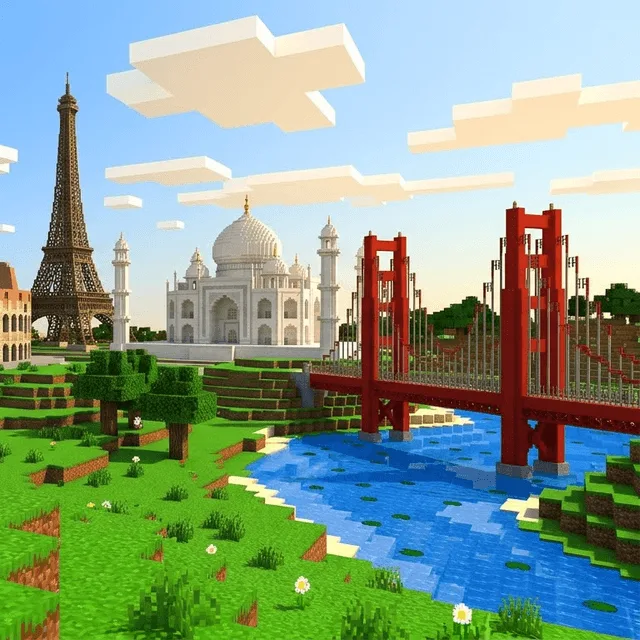
Travel through world history by building its greatest landmarks in Minecraft, from the Pyramids of Giza and the Colosseum to the Taj Mahal and the Golden Gate Bridge. Children learn the story, culture and engineering behind each one as they recreate it block by block.
Overview
- 1-on-1 course
- Meet over live video meetings
- 8 live meetings
- 8 hrs in-class hours
- Assignments
- Up to 1 hour per week · included
- Assessment
- Included — progress shared with parents
Class Experience
Ages 8–12
Travel through world history by building its greatest landmarks in Minecraft, from the Pyramids of Giza and the Colosseum to the Taj Mahal and the Golden Gate Bridge. Children learn the story, culture and engineering behind each one as they recreate it block by block.
What happens in class?
- The teacher introduces each new idea with clear, worked examples.
- Learners practise straight away with guided problems and get live feedback.
- Learners ask questions any time — small classes mean every child is heard.
- Each class builds on the last, so skills compound across the whole course.
Course details
- ⏱️ 8 live online classes · 50–60 min each
- 🎓 Recommended ages: 8–12
- 💻 A computer or laptop is required — not a phone or tablet
Learning Goals
Build confidence with the core skills of the subject, one step at a time.
Practise every new idea live, with feedback from the teacher.
Finish able to apply what they learned to new problems on their own.
Syllabus
8 Lessons over 8 weeks
- 1
Class 1
The Pyramids of Giza: Ancient Egypt, with hidden chambers and passages
50–60 min live online lesson
- 2
Class 2
The Parthenon: Greek temples and Doric, Ionic and Corinthian columns
50–60 min live online lesson
- 3
Class 3
The Roman Colosseum: arches, tiers and gladiator gates
50–60 min live online lesson
- 4
Class 4
The Great Wall of China: defence across hills and valleys
50–60 min live online lesson
Other Details
Available times
104 class times open across 26 days
Exact times appear once you sign in, so there is never any doubt about which slot you are booking.
An account is free and takes a minute; you only pay when you book. Already have one? Log in, or create one.
Teacher
Every Nex2School instructor is vetted before they’re approved to teach. Every class is recorded, so a parent can review any session their child attends. Sign in to see your instructor’s name and real class times.
Reviews
No reviews yet for this course. Be the first to book a class and leave one.